Write docs people actually finish reading
A focused block editor with everything technical writing needs: callouts, tabs, steps, diagrams, code and a tree that keeps hundreds of pages in order.
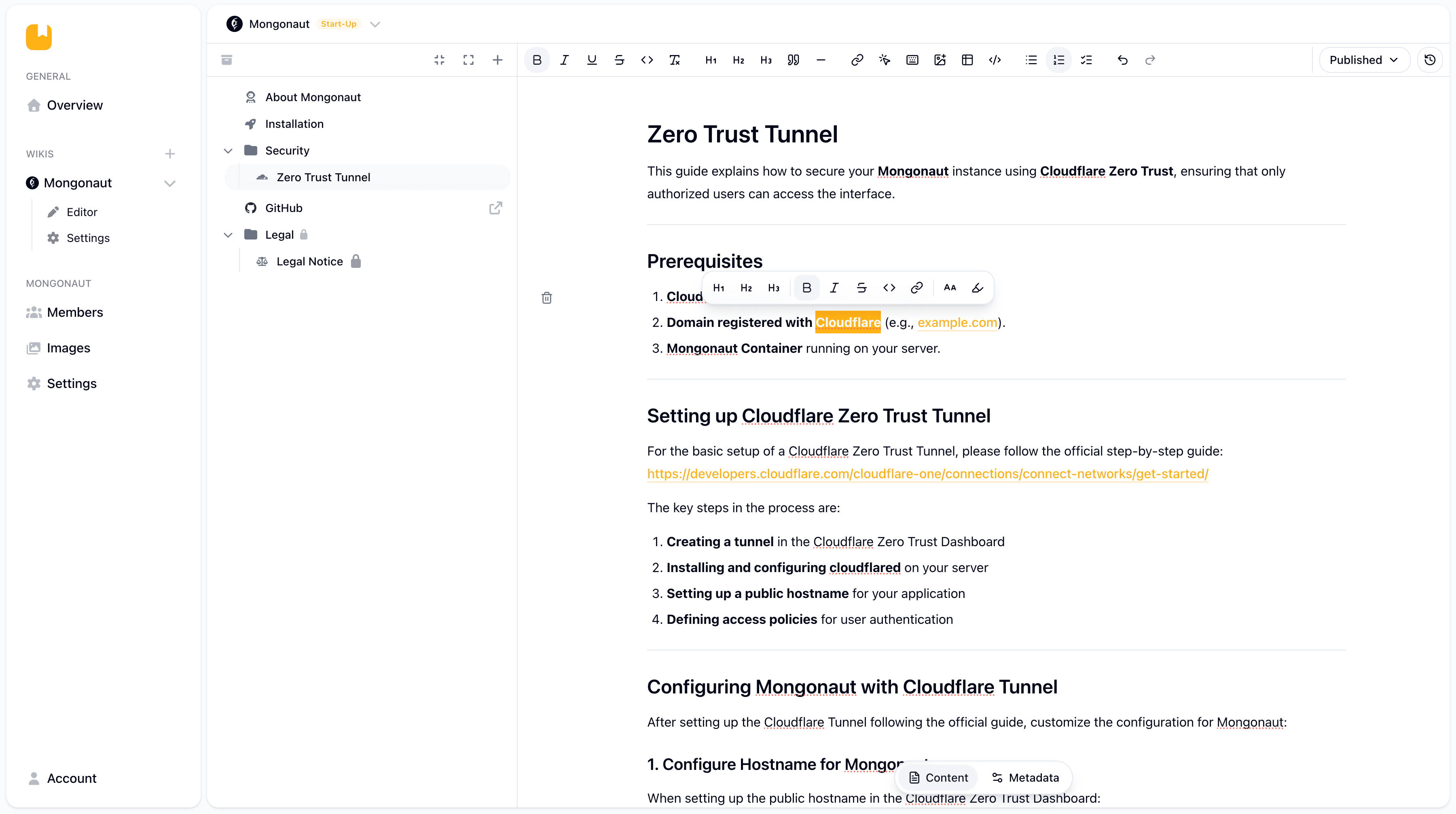
Rich blocks
Callouts, tabs, steps, accordions, tables, embeds, buttons and keyboard shortcuts, all one menu away.
Version history
Every save is a snapshot. Browse and restore earlier versions of a page whenever you need them.
Drafts and archive
Pages stay drafts until you publish them, and archived pages leave the tree without being lost.
Included in every plan, including Free.Compare plans
From blank page to published
Structure, write and ship without leaving the editor.
- 1
Shape the tree
Create categories and pages, then drag them into place. Icons and slugs keep navigation clear.
- 2
Write with blocks
Paste existing text, add code blocks, Mermaid diagrams or images from your own image library.
- 3
Publish when ready
Switch a page from draft to published. Search titles, SEO fields and the sitemap update with it.
Why teams switch editors
The usual way
- Docs live in scattered Google Docs and nobody knows which one is current.
- A wrong edit overwrites the only copy of a page.
- Diagrams are screenshots that go stale after the next change.
- Moving away means copying content by hand.
With Zuwiki
- One tree for everything, with drafts that only go live when you publish them.
- Every save is a snapshot you can restore in seconds.
- Mermaid diagrams are written as text and update with the page.
- Export every page as Markdown in one ZIP file at any time.
Built for every kind of documentation
Help centers
Step by step guides with screenshots, callouts and buttons that lead readers to the next action.
Technical docs
Code blocks, tabs per language and architecture diagrams that live right next to the explanation.
Runbooks
Checklists and keyboard shortcuts that make the next incident a little less stressful.
The editor in numbers
Content blocks
From callouts and tabs to task lists, embeds and Mermaid diagrams.
Snapshots per page
On Pro. Free keeps 25, Start-Up keeps 65.
Page states
Draft, published and archived, so nothing goes live by accident.
Markdown export
Every page including drafts, one Markdown file per page.
Your wiki is one click away
Start on the free plan with your own domain. No credit card, no per seat pricing, hosted in the EU.